Every hire prepared, every exit wrapped up.
Checklists dated from the first or last day, with tasks for HR, the manager and the employee. New hires fill in their details before they start, and departures end with a frozen leave balance and a work certificate.
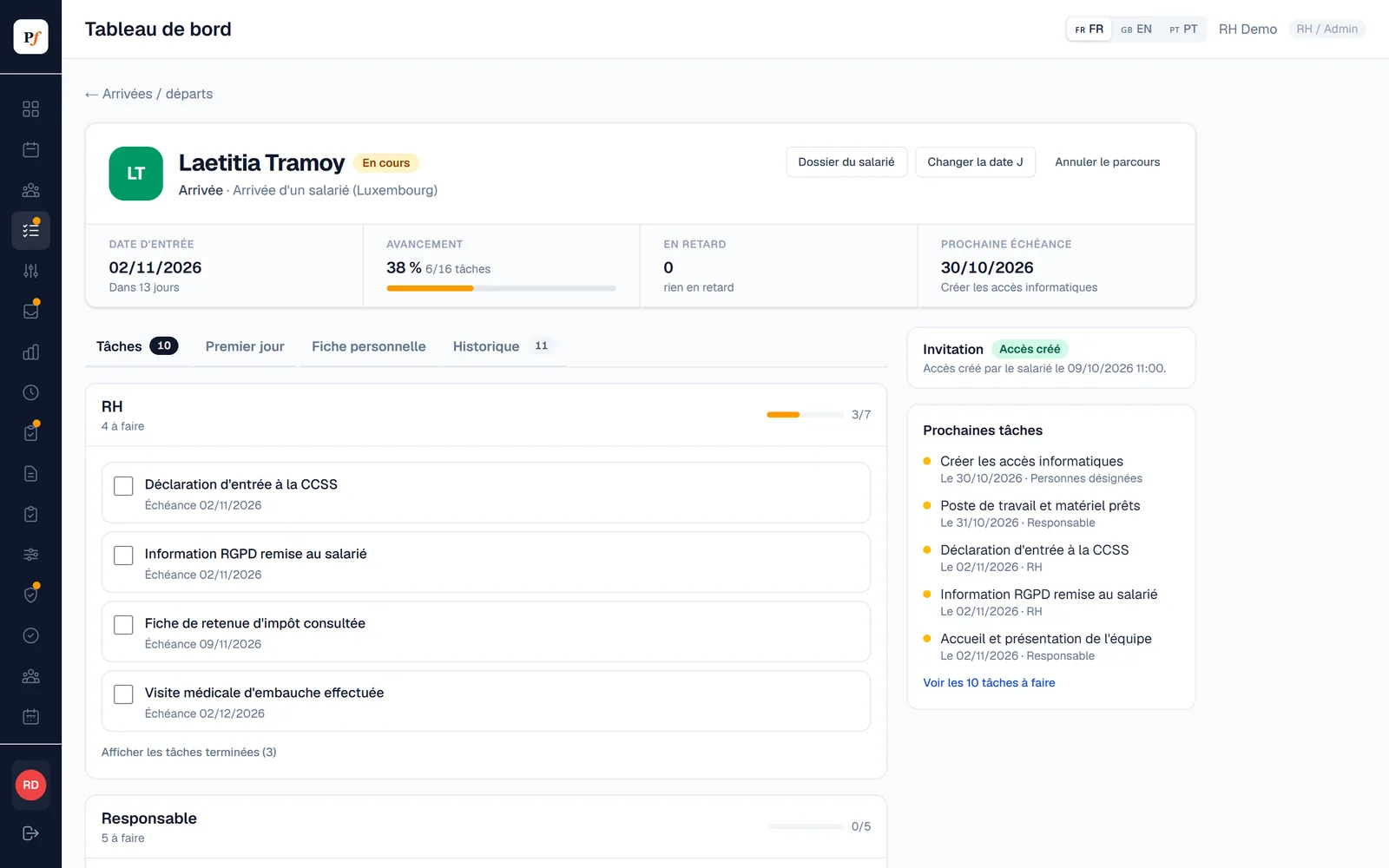
Three stages, one task list.
Deadlines are calculated from the start date, called J. If the date moves, the remaining tasks move with it.
Before day one
- The new hire receives a personal link, valid for 7 days and usable once.
- They create their login and fill in their details in French, English, Portuguese or German.
- They send the requested documents, HR checks them.
Day one
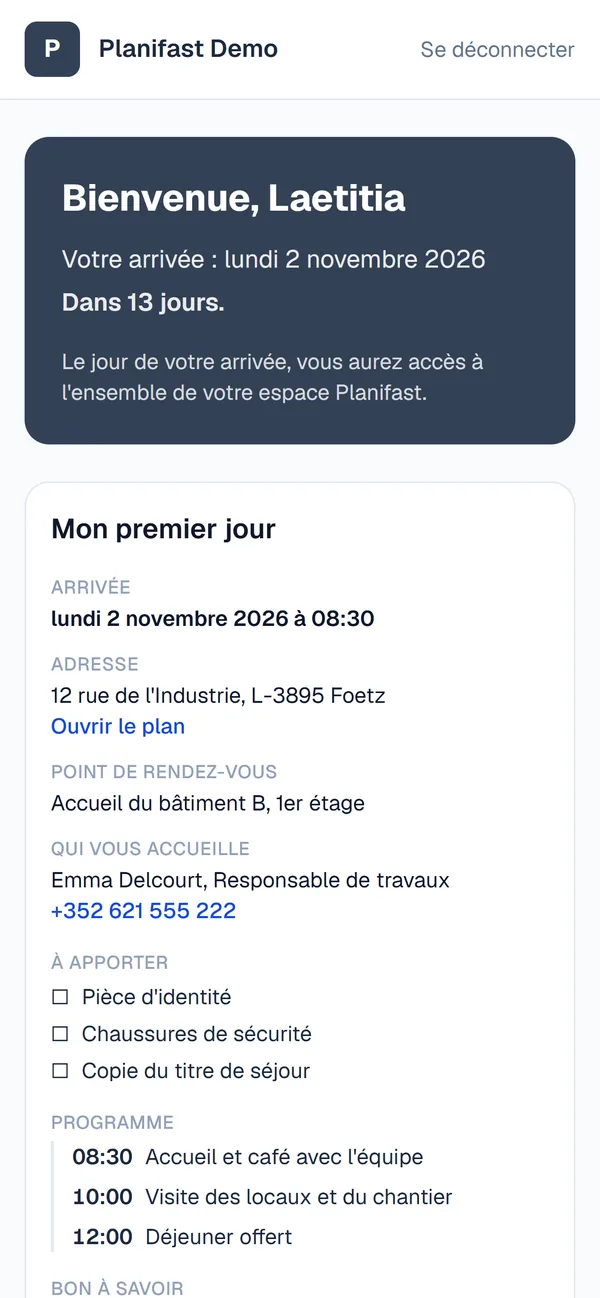
- A welcome page gives the time, address, meeting point, the person welcoming them and the schedule.
- A reminder email goes out the day before.
- The manager ticks off the welcome, the safety briefing and the PPE hand-over.
The first weeks
- One-month check-in.
- Review before the end of probation.
- Alert before probation ends, with the last date to give notice.
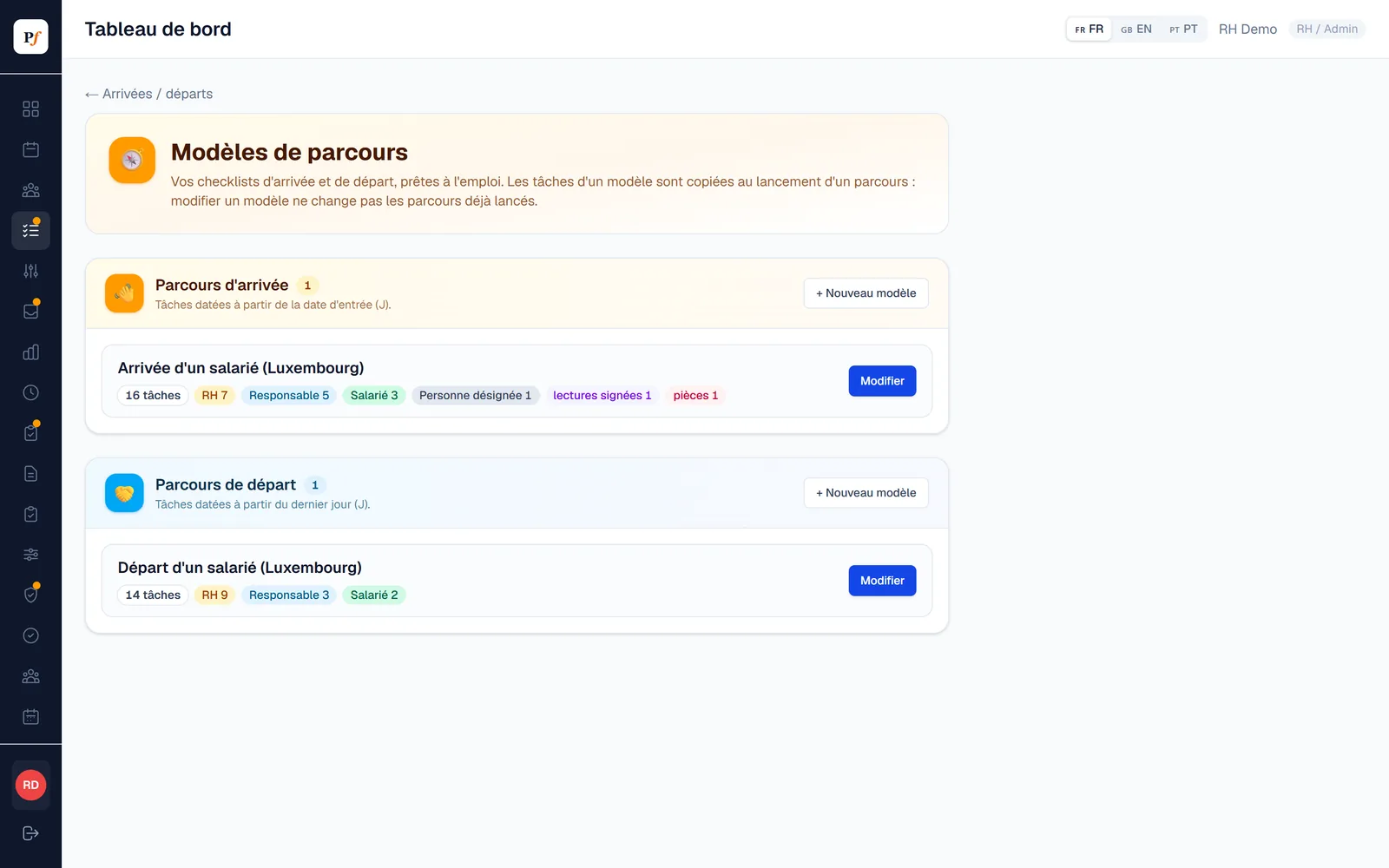
Your checklist, set up once.
Planifast comes with an onboarding and an offboarding template for Luxembourg, which you can edit freely. Each task has an owner (HR, team manager, employee or a named person) and a deadline relative to J.
- 4 task types: checkbox, document to provide, signed reading of a document, personal details form.
- Who does what can be adjusted when each checklist starts.
- Editing a template does not change checklists already running.
They arrive with their details already filled in.
Before J, the new hire only sees their welcome space. They fill in their details section by section and send them to HR, who checks them. On day J, their full Planifast space opens automatically.
- Identity, address, emergency contact, bank account, family, clothing sizes, and residence permit for non-EU nationals.
- Bank details read from a photo or PDF on the phone itself: the document never leaves the device, and the IBAN is only suggested if it is valid.
- After the start date, an IBAN change has to be approved by HR.
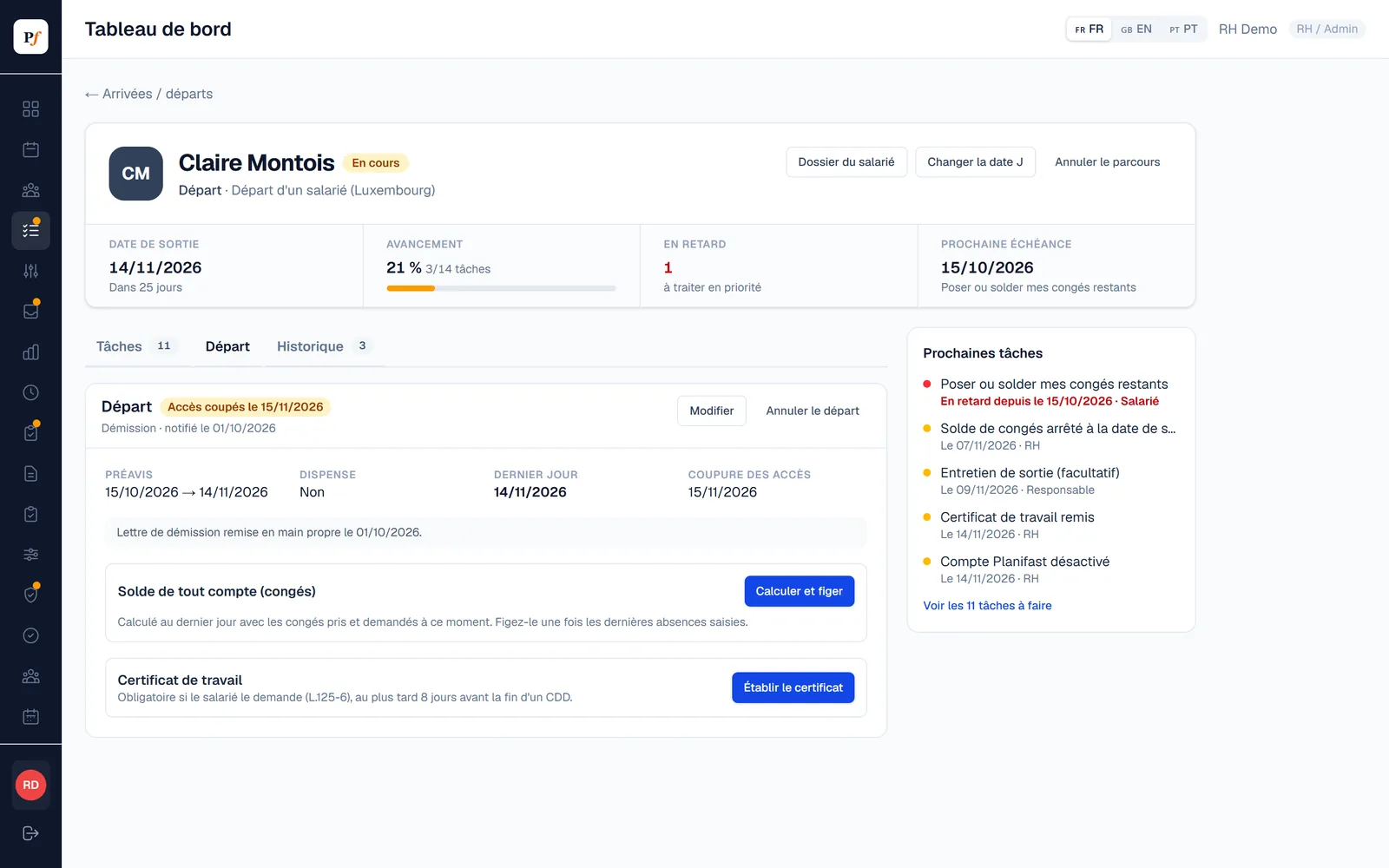
A departure wrapped up, with no step missed.
The offboarding assistant records the reason and suggests the notice period based on length of service. Access ends on the planned date, and the former employee keeps access to their documents.
- Indicative notice period calculated under the Labour Code, editable, with optional waiver.
- Leave balance frozen on the exit date, using the same calculation as the employee profile.
- Work certificate generated as a PDF, signed on screen and filed in the employee's documents.
The dates that matter come up on their own.
HR sees deadlines in a “To do” panel. Managers and named people get an email reminder for their tasks.
An employee file for HR only.
Contracts, amendments, certificates, checklist documents and signed readings are kept in each employee's file.
- Never visible to the team manager, and every access is logged.
- Automatic deletion: 10 years after exit for the file, 3 years for the residence permit, 30 days for diplomas and fitness certificates.
- Signed reading: the employee signs on screen, and a fingerprint of the document proves it has not changed.
- For EU nationals, the ID document is checked without keeping a copy.
Onboarding and offboarding
How much does the module cost?
€2 per active employee per month on top of another module, or €5 if it is your first module. The core platform (web and mobile apps, roles, employee profile, notifications) is included. An employee who has not started yet is not billed.
What does the team manager see?
Their own tasks and those of their team. Never the personal details, documents or employee file.
Does the new hire need to install the app?
No, the invitation link opens in the browser of their phone or computer.
Is the calculated notice period binding?
It is an indicative calculation under the Labour Code. Your collective agreement or the contract may provide better terms, and HR keeps control of the dates.
Can I adapt the checklists?
Yes, you edit tasks, who does them and when, and you can create as many templates as you need. A checklist already started keeps its tasks.
Add only what you need.
Pro-rata balances, special leave, sick notes sent as a photo, delegated approvals.
Discover →AttendanceWeekly grid built on time slots, entered by employees or by managers, Excel export.
Discover →Sites and timesheetsHours per site, weekly planning, temporary workers and profitability.
Discover →Protective equipmentHand-overs signed on screen, stock and thresholds per size, orders, returns.
Discover →ExpensesPhotographed receipts are read and checked, Luxembourg VAT, PCN accounting export.
Discover →Annual reviewsYour own templates, input from employee and manager, signature and archived PDF.
Discover →HR documentsPayslips uploaded in bulk and filed automatically in each employee's vault.
Discover →Your next hire, prepared in Planifast.
I will show you the tool on cases that look like yours, remotely or at your premises.