Snap the receipt, the claim is ready.
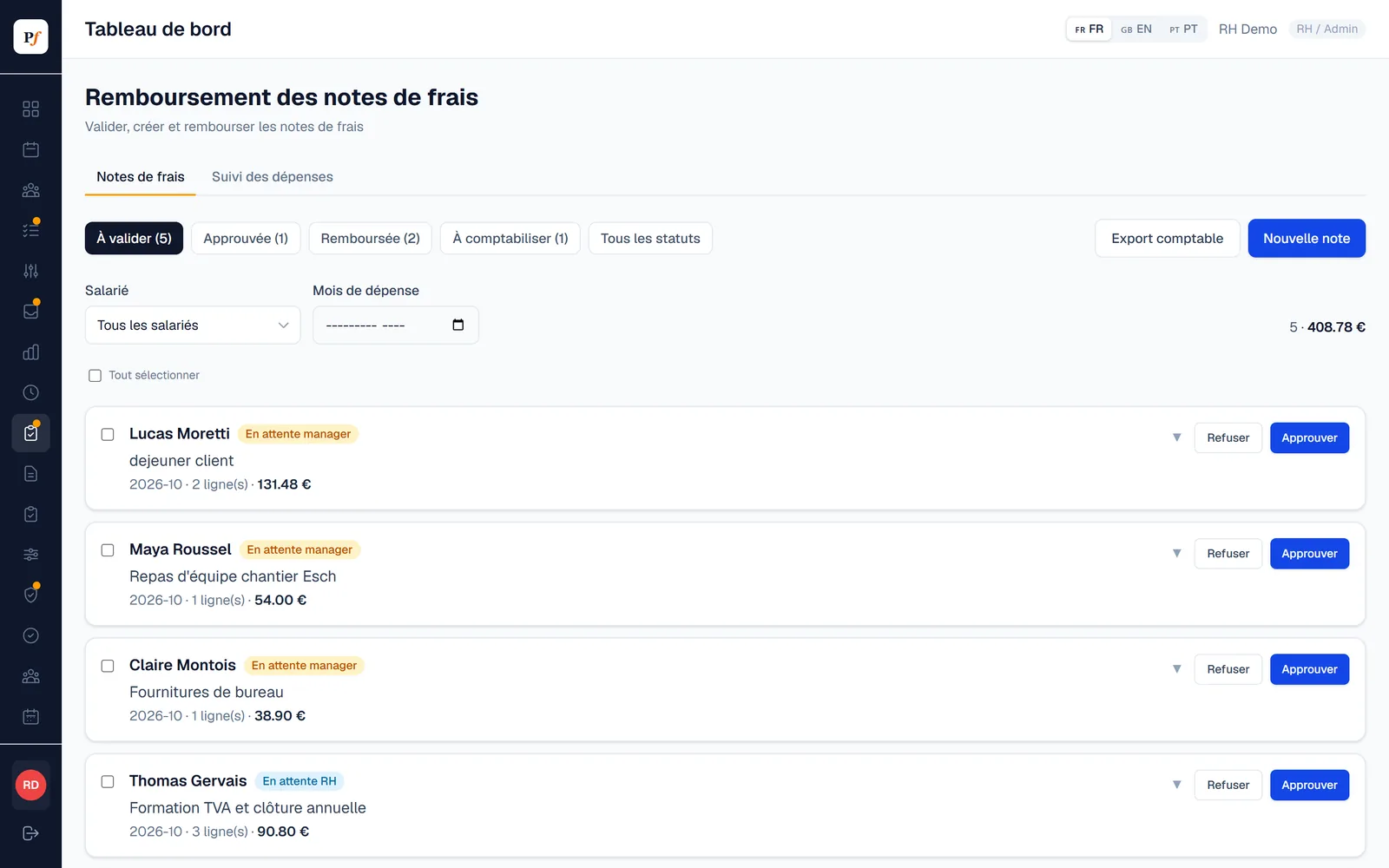
The employee takes a photo of the receipt, Planifast reads the amounts and VAT and checks they add up. HR approves and exports entries ready for accounting.
Reading that is checked, not just automatic.
Planifast reads the merchant, date, amounts and each VAT rate, then checks that lines, net amount and VAT add up to the total. If in doubt, a second reading is made, and the line stays marked “to check” if the gap remains.
- Luxembourg VAT at 17, 14, 8 and 3%, with French and Belgian receipts recognised.
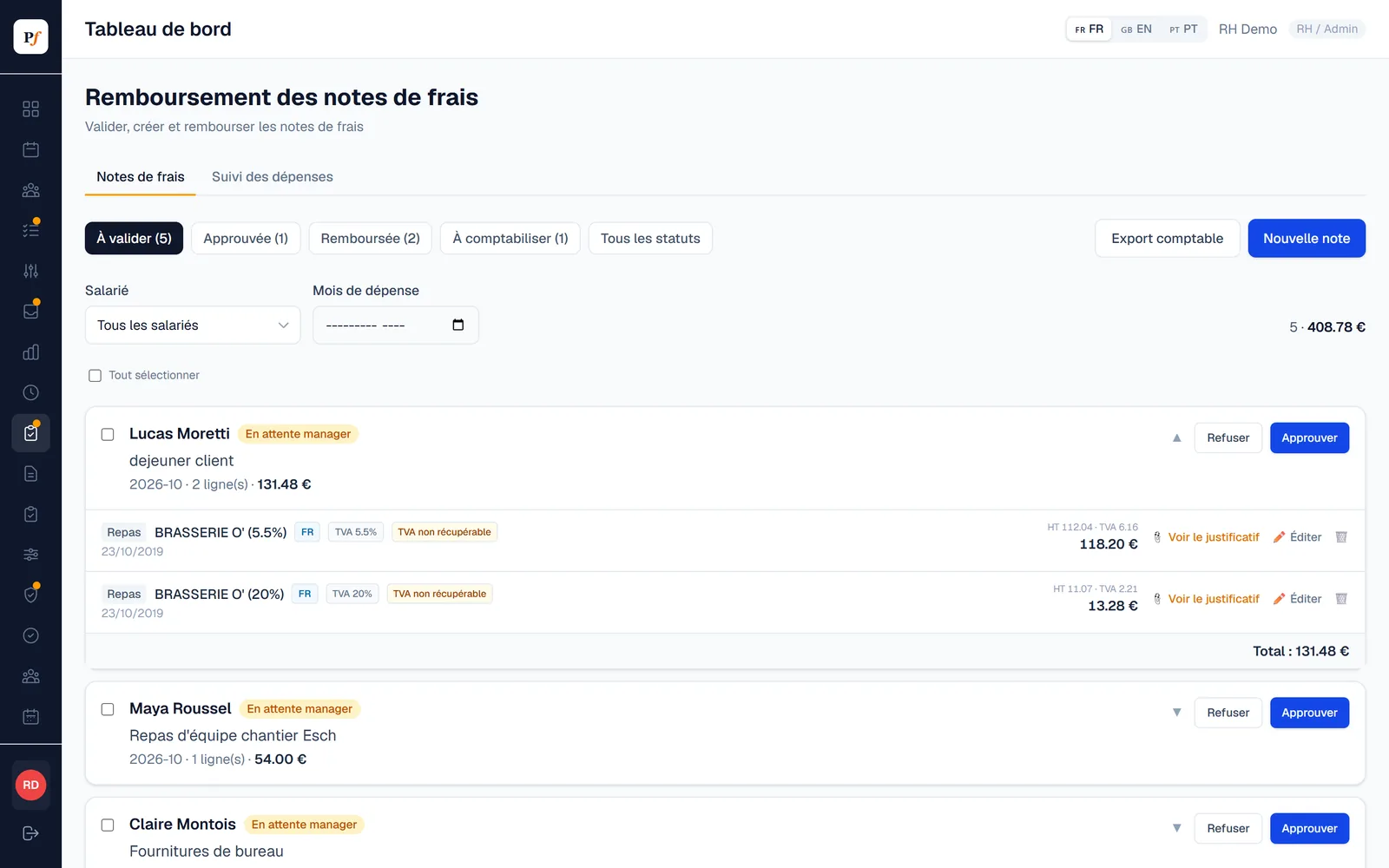
- Several rates on one receipt split into several lines.
- PDF invoices accepted like photos.
Entries on the Luxembourg standard chart of accounts.
- Accounting export in Excel: voucher number, journal, account, debit, credit, rate and recoverable VAT.
- Voucher number entered by HR, which locks the claim.
- Deductible VAT only when the invoice is in the company's name.
- Mileage allowances calculated at the rate set by your organisation.
- Spending overview per employee and per month, for HR and managers.
| PCN account | Category |
|---|---|
| 611200 | Meals |
| 613400 | Lodging |
| 613500 | Transport, fuel and mileage |
| 606000 | Equipment |
| 615300 | Telecoms |
Three ways to submit
Detailed with receipt reading, simple (amount and photo), or photo only, completed by HR.
Your approval flow
From employee to HR, or through the manager. Bulk approval available.
Meals with guests
Guests are required on meal claims, to justify the expense.
Expenses
How much does the module cost?
€2 per active employee per month on top of another module, or €5 if it is your first module. The core platform (web and mobile apps, roles, employee profile, notifications) is included.
How is the receipt read?
By an Anthropic artificial intelligence model, which receives the receipt image for reading. Planifast then checks that the amounts add up. Subprocessors are listed in the privacy policy.
Can I do without automatic reading?
Yes. In simple mode, employees enter the amount and attach the photo, with no VAT and no reading. In photo-only mode, they send the photo and HR fills in the rest.
Does the manager need to approve?
You choose: straight from the employee to HR, or through the manager first.
Add only what you need.
Pro-rata balances, special leave, sick notes sent as a photo, delegated approvals.
Discover →AttendanceWeekly grid built on time slots, entered by employees or by managers, Excel export.
Discover →Sites and timesheetsHours per site, weekly planning, temporary workers and profitability.
Discover →Protective equipmentHand-overs signed on screen, stock and thresholds per size, orders, returns.
Discover →Annual reviewsYour own templates, input from employee and manager, signature and archived PDF.
Discover →NewOnboarding and offboardingDated checklists, a form filled in by the new hire, first day, exit and work certificate.
Discover →HR documentsPayslips uploaded in bulk and filed automatically in each employee's vault.
Discover →Let us look at what your team needs.
I will show you the tool on cases that look like yours, remotely or at your premises.