From timesheet to margin, site by site.
Site timesheets, crew planning, temp workers and profitability in one tool, on site and in the office.
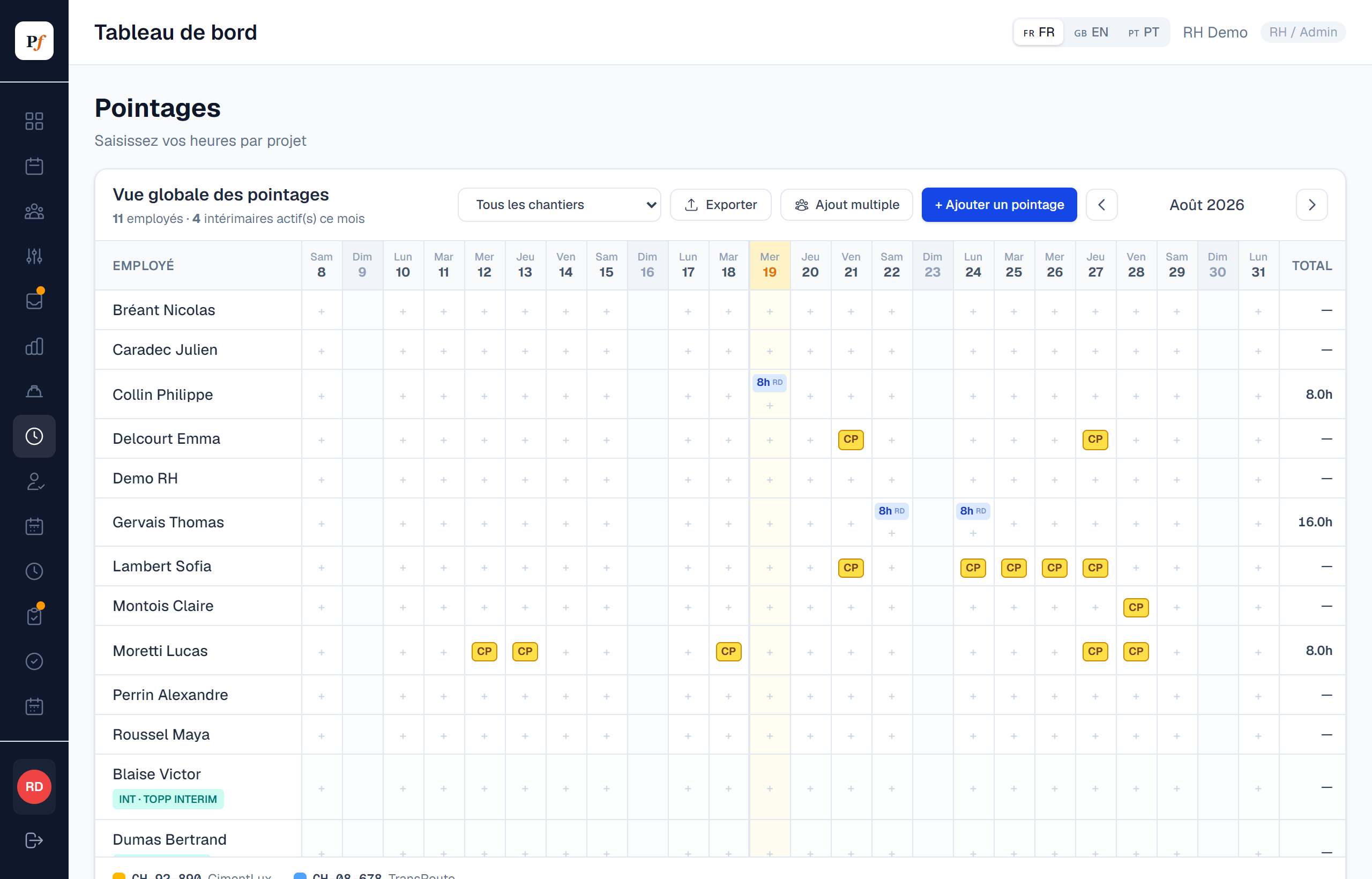
Hours entered where the work happens.
Hours are entered site by site, from a phone. The manager approves, HR exports with no re-typing.
- Entered by the employee or by the foreman for the whole crew
- Employees and temp workers on the same monthly grid
- Alert above 48 hours a week
- Monthly sheet in payroll format, one file per person if needed
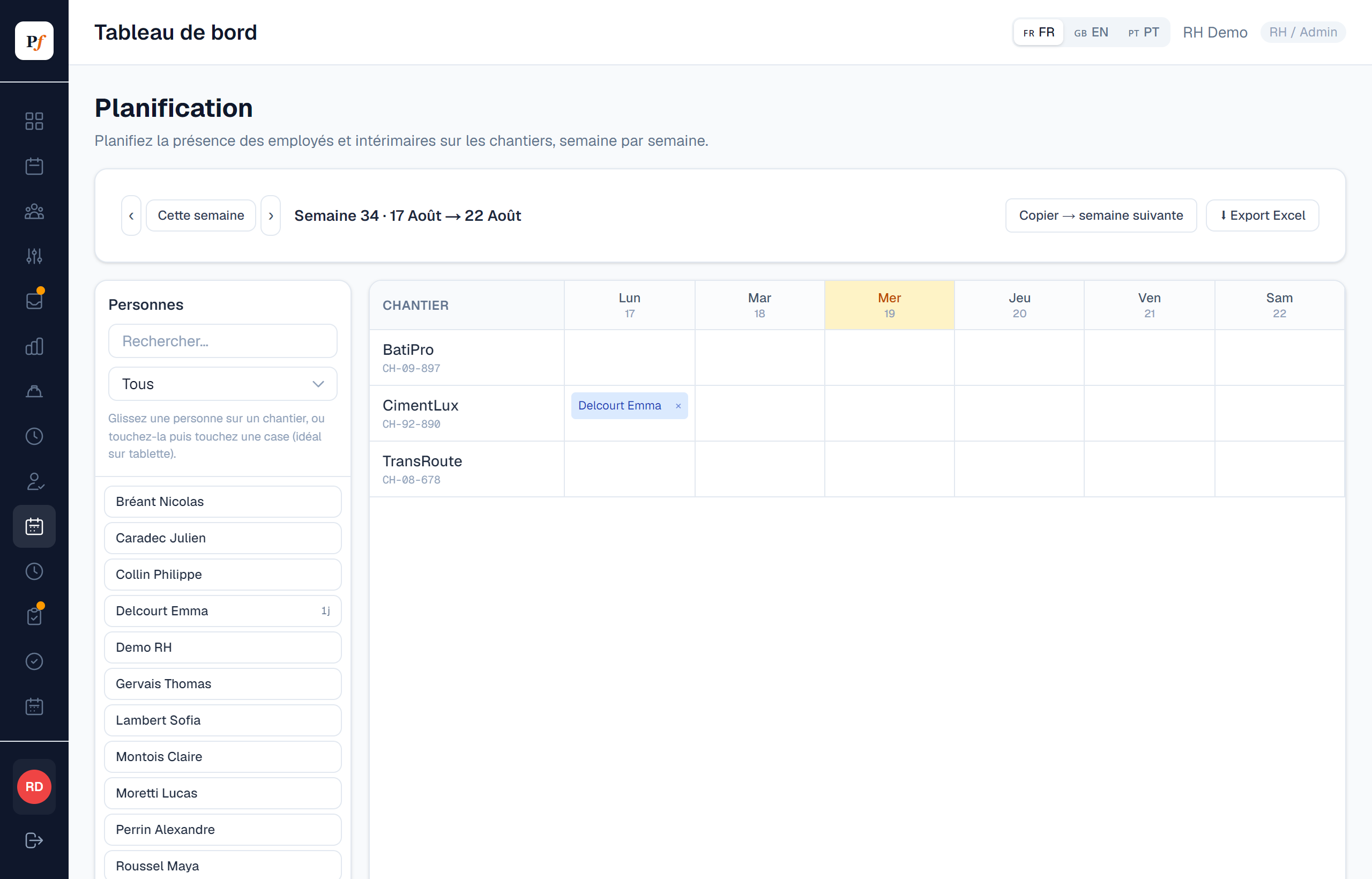
Who is on which site, at a glance.
You assign crews to sites week by week, by drag and drop. Each employee sees their schedule in their own space.
- Weekly view per site
- Employees and temp workers
- “My schedule” for employees, Excel export
Your margin, site by site.
Planifast compares the cost of hours (employees and temp workers, overtime included) with the revenue of each site.
- Dated hourly costs, to follow wage indexation
- Overtime premiums applied
- Summary of all sites or detail of one site, in Excel
| Site | Hours | Cost | Invoiced | Margin |
|---|---|---|---|---|
| CimentLux | 412 h | 18 940 € | 26 500 € | 28,5 % |
| TransRoute | 236 h | 11 210 € | 13 000 € | 13,8 % |
| BatiPro | 128 h | 6 480 € | 6 200 € | -4,5 % |
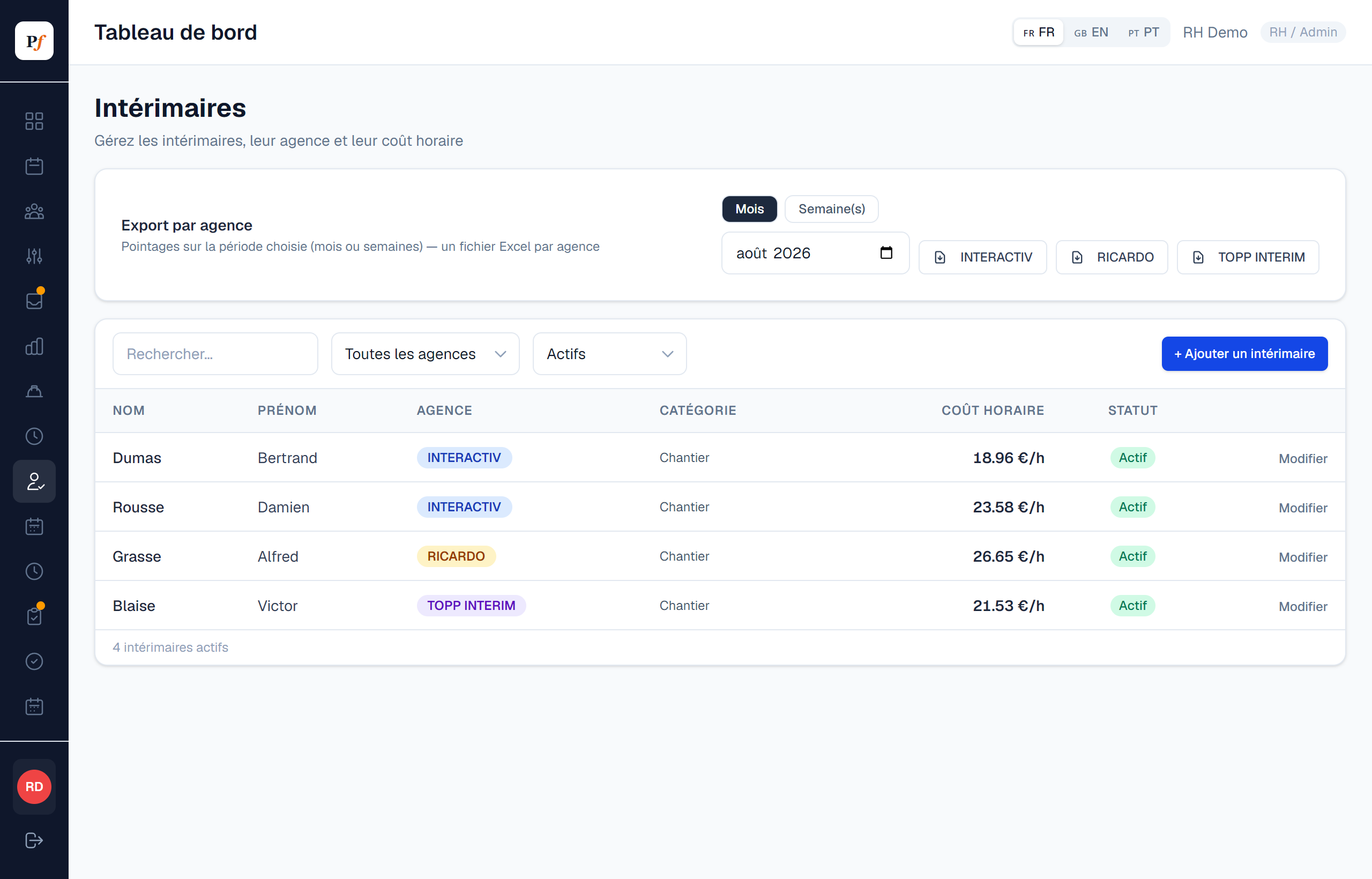
Temp work tracked from agency to accrual.
Your temp workers are tracked by agency, with their premiums and meal allowances, and a forecast to anticipate the monthly cost.
- Agencies, rates, overtime and Sunday premiums
- Meal allowances calculated
- Forecast from timesheets and planning, export per agency
Each employee's certifications, with their expiry date.
Permits, certifications and licences are stored on the employee profile with the document. An export lists what is valid, what expires soon and what has expired.
- Label, expiry and document per employee
- Export for everyone or per person
| Employee | Certification | Valid until | Status |
|---|---|---|---|
| Thomas Gervais | CACES R482 | 22/07/2026 | Expired |
| Lucas Moretti | Working at height | 17/11/2026 | Expires soon |
| Alexandre Perrin | Electrical B1V | 14/03/2027 | Valid |
| Claire Montois | SST | 02/11/2027 | Valid |
The realities of Luxembourg sites, built in.
On site
Enter hours, check the schedule or request leave from the iOS or Android app.
Luxembourg law
Public holidays, overtime and Sunday premiums, pro-rated leave.
Role-based access
Foremen, managers and HR each see what concerns them. Data is hosted in Paris.
Often combined with Protective equipment and Onboarding and offboarding.
Sites and timesheets
How much does the module cost?
€7 per active employee per month if it is your first module, or €4 on top of another module. The core platform is included.
Who enters the hours?
Depending on how you work: each employee enters their hours and the foreman approves, or the foreman enters hours for the whole crew.
Do temp workers need an account?
No. They appear in timesheets and planning with their agency, without access to the app.
Can you import my existing sites?
Yes, during set-up I configure your sites, crews, agencies and hourly costs with you.
Add only what you need.
Pro-rata balances, special leave, sick notes sent as a photo, delegated approvals.
Discover →AttendanceWeekly grid built on time slots, entered by employees or by managers, Excel export.
Discover →Protective equipmentHand-overs signed on screen, stock and thresholds per size, orders, returns.
Discover →ExpensesPhotographed receipts are read and checked, Luxembourg VAT, PCN accounting export.
Discover →Annual reviewsYour own templates, input from employee and manager, signature and archived PDF.
Discover →NewOnboarding and offboardingDated checklists, a form filled in by the new hire, first day, exit and work certificate.
Discover →HR documentsPayslips uploaded in bulk and filed automatically in each employee's vault.
Discover →See Planifast on your sites.
I will show you the tool on cases that look like yours, remotely or at your premises.